

Drawing library option for the Dimension tool
At any drawing:-
● Select the Dimension tool and left click for the first point
 Right click
A dialog pops up to set the dimension tool type
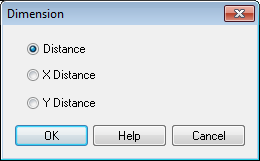
The options are:-
Distance
Distance in the X direction (horizontal)
Distance in the Y direction (vertical)
● Select OK to close the dialog
● Move mouse to set the last point for the dimension line and click to finish.
The dimension is automatically drawn in the type selected.
