

Nesting parameter to set which optimiser method to use
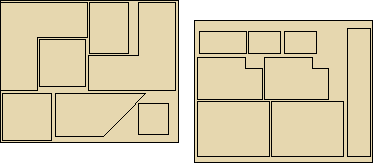
Optimisers are the heart of the optimising program and produce efficient cuttings patterns for a wide range of part lists. There are different optimisers for different types of part list.
 Select an optimiser from the list
Rectangular nesting
Standard shaped nesting
Enhanced shaped nesting
Industrial nesting
Rectangular nesting
For rectangular nesting - each part is placed on a pattern based on the dimensions of it's bounding rectangle. Where possible parts in the final set of patterns are then packed towards the nesting origin of the board. For cutting lists where all parts are rectangles then rectangular nesting is faster.
Standard shaped nesting, Enhanced shaped nesting & Industrial nesting
For shaped nesting - parts can overlap the rectangular area around each part and be placed at an angle to each other
Selecting this Enhanced shaped nesting allows the optimiser to spend extra time, using additional algorithms, to find more efficient arrangements of shapes and improve yield.
One of the benefits of the Enhanced shaped nesting option is to allow smaller parts to be nested inside holes (internal borders) of larger parts
Notes
- For these optimiser types the patterns are generated for transfer to a Machining centre.
- Can also be set as a material parameter at material level but not for Rectangular or Industrial nesting when an error will be displayed

|