

Product library option to make a hard copy
At the Product library screen:-
● Select: File - Print
or
 Select the Toolbar
option
Select the Toolbar
option
The program prompts with a dialog to set up the data to print.
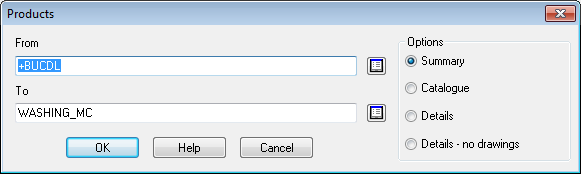
(For File - Print the default is ALL the products. For the Toolbar option the default is the Current product)
● Enter the range of codes to print
 Use
the list boxes to select products or enter the codes directly.
Use
the list boxes to select products or enter the codes directly.
The print options are:-
Summary (one line summary)
Catalogue (thumbnails of drawings)
Details (full data for each product)
Details - no drawings
OK to confirm print
Other options
Help - information about this dialog
Cancel - abandon print
Notes
- If a product is displayed on the screen which has been edited or is a new product that is not yet saved the print button is not available.
-
