

Drawing instruction for a drawing
At any drawing:-
(Make sure the drawing perspective is set - Drawing properties - Vanishing point or use the Guide box))
● Select: Tools - Perspective
or
 Select option from Toolbar
 Use
mouse to draw object
Use
mouse to draw object
The drawn line is controlled to only move vertically, horizontally or in perspective. Movement of mouse determines which type of line is drawn
● Move to start point
● Click Left mouse button
● Move mouse in drawing direction
● Program draws a new line
As the mouse is moved the line snaps between vertical, horizontal and perspective
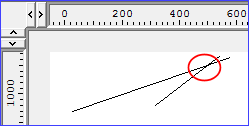
● Click left mouse button to finish
Drawing perspective is set in a New drawing - see Drawing Properties
Notes
Vanishing point - the vanishing point is the imaginary point at which the perspective lines converge. Drawings use a single vanishing point which is fixed for the whole drawing. This gives a three-dimensional effect of looking at the drawing from a fixed position.
Edit options and Properties - right click with the mouse to show the menu of edit options and properties. These vary for each type of drawing object.
